
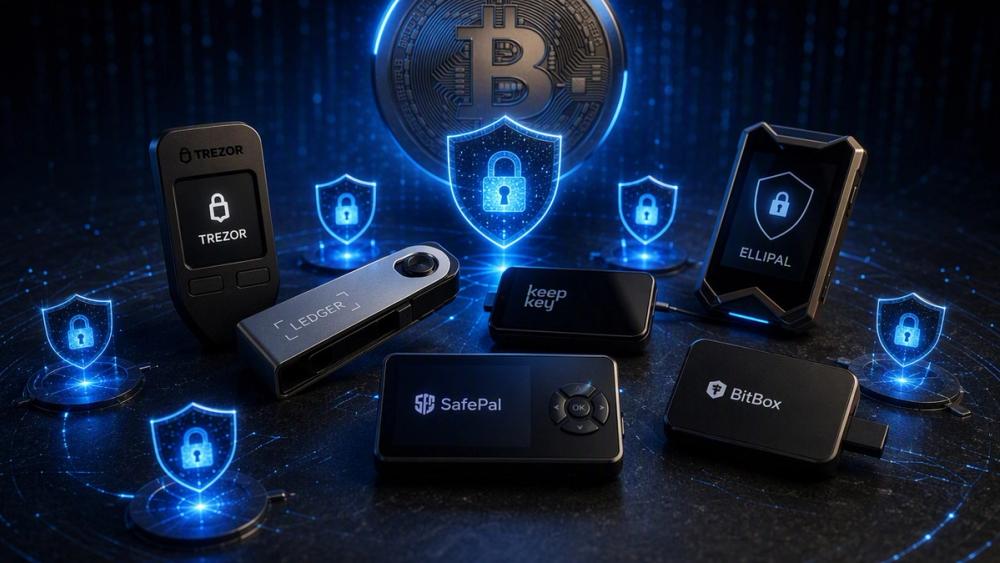
Holding Bitcoin on an exchange or in a software wallet leaves your private keys exposed. A single phishing email, malware infection, or platform failure can wipe out years of savings. Hardware wallets solve the core problem by keeping those keys offline. In 2026 the market offers clearer choices than before, yet the differences between devices still matter a great deal.
We ranked eight real hardware options on security architecture first. Air-gapped signing, open-source firmware, secure-element design, Bitcoin-only focus, and real-world recovery options carried the most weight. Usability and current firmware status also factored in. The list reflects what actually works for self-custody right now.
Coldcard Q — Bitcoin-Only Air-Gapped Focus
The Coldcard Q stays fully offline during normal use. You prepare a transaction on a computer, move it to the device by microSD card or NFC, sign it on the device, and move the signed result back. Private keys never touch an internet-connected machine.
Dual secure elements from two different chip makers sit inside. A numeric keypad lets you enter the PIN without relying on a host computer. Duress PIN and brick-me PIN features give extra options under physical threat. The firmware is Bitcoin-only, which shrinks the attack surface.
You will need desktop software such as Sparrow to get the most from it. Setup takes more attention than simpler devices. Check that you are running current firmware. Earlier seed-generation problems on older Coldcard models made that step non-negotiable. For larger long-term holdings the Q remains one of the strongest pure cold-storage choices available.
Trezor Safe 5 — Open-Source Balance
Trezor publishes its firmware fully. Anyone can inspect the code. The Safe 5 adds an EAL6+ secure element and a color touchscreen with haptic feedback. Transaction details appear clearly on the device itself before you confirm.
Shamir backup support lets you split the recovery phrase across multiple shares. Trezor Suite handles setup and daily use without much friction. The device connects by USB-C rather than pure air-gap, so the computer must be trusted during signing.
Most general users find the learning curve manageable. It supports more coins than pure Bitcoin devices, yet the open-source base still gives strong transparency. This model works well as a first serious hardware wallet.
Ledger Flex — Polished Secure-Element Design
Ledger built the Flex around a certified secure element and a large E Ink touchscreen. You can read addresses and amounts with less eye strain than on smaller screens. Bluetooth and NFC add convenience for mobile use while the keys stay inside the device.
Ledger Live is mature and widely used. The company has never reported a successful remote extraction of private keys from its hardware. The firmware on the secure element itself remains closed, which some users treat as a drawback.
If you already hold assets beyond Bitcoin or prefer a smoother mobile experience, the Flex delivers solid everyday security. Limit the device to Bitcoin-only accounts if you want to keep the attack surface smaller.
Foundation Passport Core — Open Air-Gapped Hardware
Foundation Devices designed the Passport Core for QR-code air-gapping from the start. The device never needs a data USB connection. Open-source firmware and verifiable builds let you check what runs on the hardware.
A physical keypad and clear screen make transaction review straightforward. PSBT workflows integrate cleanly with tools such as Sparrow. The form factor feels deliberate rather than minimal.
Price sits higher than entry-level options. Bitcoin focus is the priority. Users who want to reduce trust in any single vendor and keep the signing device completely isolated often land here.
BitBox02 Bitcoin-Only Edition — Swiss Minimalism
Shift Crypto ships the BitBox02 with a dual-chip layout: an open-source microcontroller plus a secure element. Builds are reproducible. A microSD card can store an encrypted backup of the seed in seconds.
The companion app stays simple. Anti-klepto protections help against certain host-computer attacks. The device uses USB-C rather than air-gap, so operational security still depends on the computer you pair it with.
Swiss engineering shows in the clean interface and restrained feature set. It suits people who want transparent code without the complexity of pure air-gapped workflows.
Keystone 3 Pro — Multi-Element Air-Gap
Three secure elements sit inside the Keystone 3 Pro. Signing happens by QR code only. No Wi-Fi, no Bluetooth, no USB data path. A large touchscreen shows full transaction details before confirmation.
Bitcoin-only firmware is available if you want to limit the software surface. Multisig support is present. The device feels more modern than older keypad-only designs.
Manufacturing origin may matter for some threat models. Companion software continues to improve. Readers who want air-gapping plus a clearer interface often choose this model.
ELLIPAL Titan 2.0 — Fully Isolated Mobile Workflow
ELLIPAL built the Titan 2.0 with zero wireless radios and no USB data connection. Communication with a phone happens only through QR codes. The metal body and large touchscreen support careful verification.
Keys stay offline. The phone app handles the online side. Recovery relies on the seed phrase written at setup. Multisig options exist but feel less native than on pure Bitcoin devices.
Users who prefer phone-centric management while keeping keys completely isolated find this approach practical. Physical durability is a clear plus.
Blockstream Jade Plus — Open-Source Budget Air-Gap
Blockstream made the Jade Plus fully open-source. QR air-gap is available. Price stays lower than most competitors. Liquid Network support sits alongside native Bitcoin.
Entropy can come from the device or from a blind oracle option. Pairing with Sparrow works well. There is no traditional hardware secure element, so verification of the setup process becomes more important.
Cost-conscious users who still want air-gapped signing and full code transparency often start here. Treat the initial configuration with extra care.
Choosing the Right Device
Match the wallet to the size of your holdings and your comfort with technical steps. Larger balances benefit from true air-gapped Bitcoin-only models such as the Coldcard Q, Foundation Passport Core, or Keystone 3 Pro. First-time self-custody setups usually go smoother with the Trezor Safe 5 or BitBox02.
Always buy direct from the manufacturer. Verify the packaging. Generate a fresh seed on the device itself. Never restore a seed that originated on an untrusted or outdated device. Once balances grow, a multisig setup across two different vendors removes single points of failure.
Steel plates or Shamir shares for the recovery phrase beat paper. Test the recovery process with a small amount before moving significant funds.
No hardware wallet removes every risk. Physical control of the device and the seed, plus careful daily habits, still decide the outcome. The eight options above give the strongest practical combinations of isolation, transparency, and usable design available for Bitcoin holders in 2026. Pick the one that reduces the risks you actually face.