Finding a stock after its biggest move can leave you chasing yesterday’s opportunity. The best stock screener tools for day traders in 2026 help narrow that search around your workflow. These eight options cover streaming alerts, chart analysis, news catalysts, and brokerage scanning. This guide focuses on U.S. stocks and explains the features, limitations, and costs that matter.
How We Selected These Stock Screeners
This comparison evaluates official documentation for market coverage, customization, extended-hours access, update behavior, and costs. The recommendations reflect documented features rather than hands-on speed tests.
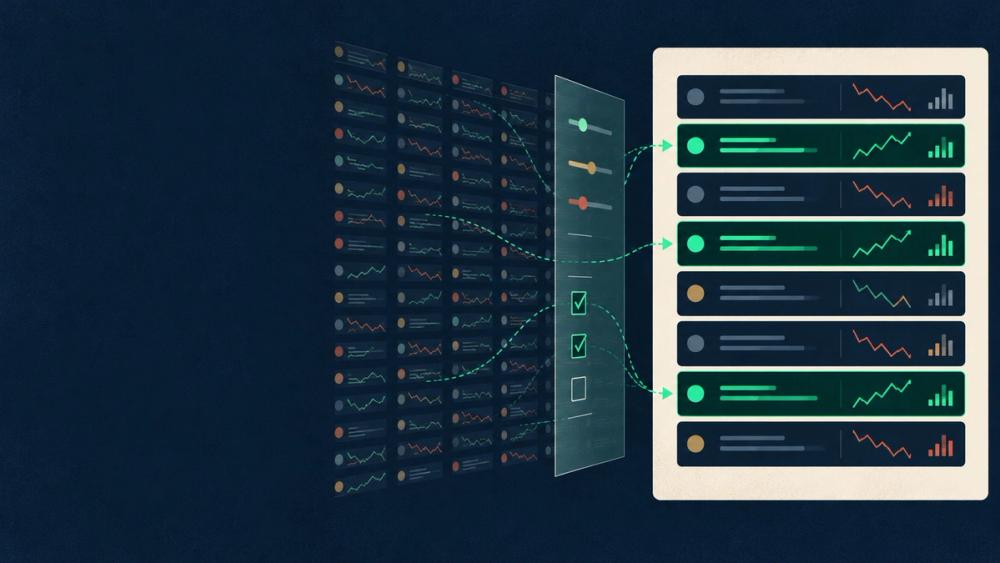
A screener generally displays stocks matching selected criteria. Event-driven scanners flag conditions as they occur. Vendors sometimes blur these terms. Crucially, a real-time quote feed doesn’t establish how quickly a results list refreshes.
1. Trade Ideas: For Streaming Intraday Alerts
Trade Ideas suits traders who want continuous discovery throughout the session. Streaming Alerts flag qualifying events while Top Lists display matching stocks. For example, a configured momentum alert can draw attention to developing activity without repeated manual searches.
Its advanced tools require time to configure. Holly AI Signals and OddsMaker backtesting belong to premium functionality. Compare those additions with core scanning before paying for features your workflow won’t use.
2. TradingView: For Screening Alongside Charts
TradingView’s Stock Screener connects filtering with chart analysis. You can screen selected markets, inspect chart views, and transfer results into watchlists. That supports moving from a volume spike to closer technical analysis.
Its scheduled refreshes differ from event-driven alerts. Also, paid platform plans don’t cover every exchange’s real-time data fees. Check the relevant feed and subscription together when calculating costs.
3. Finviz Elite: For Browser-Based Watchlist Building
Finviz Elite offers a straightforward way to narrow U.S. stocks through descriptive, fundamental, and technical filters. Combine price, volume, and price movement to create a manageable research list.
Elite includes real-time quotes and extended-hours data. Keep those capabilities separate from free Finviz access. Its published subscription costs $39.50 monthly or $299.50 annually. The annual price requires a yearly commitment rather than monthly payments at the advertised equivalent rate.
4. Benzinga Pro: For News-Driven Stock Discovery
Benzinga Pro pairs stock scanning with financial news. Filters include price, volume, relative volume, and market capitalizationA company's share price multiplied by its shares outstanding — the standard measure of how large a public company is.. This combination supports investigating whether an earnings release or company announcement accompanies unusual activity.
A headline can explain attention without establishing that the move will continue. Read the original announcement before drawing conclusions. Confirm scanner, news, and audio access within your chosen subscription before comparing its total cost with alternatives.
5. Scanz: For Session-Specific Custom Scans
Scanz lets traders combine price, volume, technical, and session-specific filters across U.S. equities. A premarket gap screen and a regular-session momentum screen need different volume settings because they measure different trading periods.
Its Data Scanner displays currently matching stocks. Distinguish that function from separate signal and alert tools. Check your plan’s saved-scan allowance and data access before subscribing. Its U.S. equities focus also limits its usefulness for international-stock research.
6. TC2000: For Custom Technical Conditions
TC2000’s condition editor supports combining indicators and optional Personal Criteria Formulas—custom screening rules. For example, you could combine volume conditions with price above a moving average on an intraday timeframe.
Refresh capabilities depend on the service level. Its refresh-rate documentation assigns streaming scans to Premium+ and limits concurrent real-time scans. Verify the required subscription and market data costs rather than assuming every tier supports identical monitoring.
7. thinkorswim Stock Hacker: For Schwab Clients
Stock Hacker brings configurable screening into thinkorswim desktop. Users can save queries, apply technical conditions, and create alerts when matching results change. Existing Schwab clients can keep discovery within their brokerage workflow.
Schwab provides platform access without a separate platform charge. Trading charges and account requirements remain separate. Check individual filter behavior: pattern-filter results update hourly, which matters when researching fast-moving intraday setups.
8. StocksToTrade: For Small-Cap and OTC Research
StocksToTrade combines preset and custom scans with charts, news, filings, and paper trading. Its U.S. market coverage includes over-the-counter stocks, giving small-cap researchers another market segment to investigate.
You can review a mover’s chart alongside announcements and filings. However, OTC coverage doesn’t establish adequate liquidity. Inspect spreads and trading activity carefully. When budgeting, distinguish Level 1 quotes from optional Level 2 market-depth access and other add-ons.
How to Use an Intraday Stock Screener
Start With Liquidity and Unusual Volume
Liquidity describes how readily shares trade without substantially moving the price. The bid-ask spread separates buying and selling quotes. Relative volume compares activity with a historical baseline; providers use different calculations.
An illustrative screen might require prices above $5, average daily volume above one million shares, and relative volume above two. These thresholds identify research candidates rather than validated trade signals.
Check the Session, Catalyst, and Chart
Confirm the session and data timestamp before reviewing the original announcement, chart, and spread. Paper trading helps evaluate the workflow, although simulated fills differ from live execution. The SEC highlights substantial day-trading loss risks.
How to Choose the Best Stock Screener for Day Trading
Choose around your main need: streaming discovery, charts, news, custom rules, or brokerage integration. Compare two shortlisted tools during the same market session.
Record useful matches, distracting results, refresh behavior, and ease of navigation. Calculate subscription costs alongside exchange feeds and optional features. A trial or monthly plan provides an opportunity to evaluate suitability before accepting an annual commitment.
Conclusion
The best stock screener tools for day traders in 2026 support a defined research process. Test two candidates against your needs and budget before committing. Effective screening narrows the search; it doesn’t replace a trading plan.
FAQs
Can You Use a Free Stock Screener for Day Trading?
Free tools can support research. Check data delays, refresh limits, and account requirements before relying on them during active trading.
Is a Stock Scanner Different From a Screener?
Screeners show matching stocks. Event-driven scanners flag changing conditions, although vendors use these labels inconsistently.
Do Real-Time Quotes Mean Instant Scan Results?
No. Data delivery, screening calculations, and interface refreshes each affect when results appear.