Your phone dies and the wallet app on its replacement asks for the words you wrote down during setup. Can you still find those words when you need them? If your backup is a screenshot, check where else that image might have synced.
Good seed phrase storage keeps your recovery words private and gives you a way back into your wallet if the original device fails. These six mistakes show how to protect your backup and check that it works.
What a Seed Phrase Recovers
A seed phrase is an ordered list of words that can restore access to a self-custody wallet. With self-custody, you control the keys that let you authorize transactions. A PIN unlocks the device you already have. The recovery words can restore access on a compatible replacement even if the old device is gone.
The backup format matters when you choose a replacement. BIP39 is a common format for recovery words. SLIP39 can use separate sets of recovery words called shares. Before relying on another wallet, check that it supports the format your original wallet used.
6 Seed Phrase Storage Mistakes and How to Avoid Them
Start with where the words live, who could see them and whether you could use them after losing the device.
1. Saving the Seed Phrase in Photos, Notes or Email
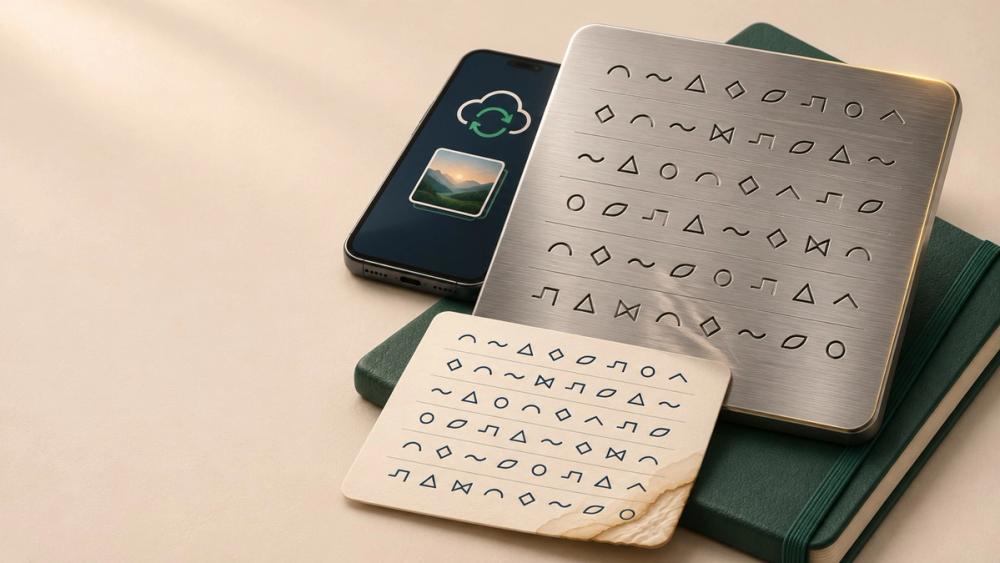
A photo of your recovery card can sync to a cloud account automatically. An email draft or a synced note also puts the words somewhere else they can be accessed. Write the phrase by hand in the order your wallet displays it. Keep the copy offline and make sure each word is easy to read.
2. Entering Recovery Words Into a Website or Support Chat
A message claiming your wallet will be deactivated can make a fake verification form feel urgent. Treat any request to send your phrase or paste it into a form as phishing. If you need to restore access, go directly to the wallet maker’s official instructions and follow the recovery process for your device.
3. Leaving a Paper Backup Where It Can Be Damaged
A small leak can make a paper backup unreadable long before you need it. Look at what’s around the storage spot, including overhead pipes or anything that could leak onto the card. A purpose-built metal backup can better withstand fire and water. Either format still needs a private, secure location because someone who finds it could copy the words.
4. Keeping the Wallet and Every Backup in One Place
Two copies in the same home can disappear in the same fire or burglary. A second secure location reduces the chance that one event takes out every copy. It also creates another place where someone could find the full phrase. Consider who can access each location and whether you could still retrieve a copy if your home became inaccessible.
5. Assuming the Written Backup Works
A missing word or two words copied out of order can derail recovery. Verify the backup while the original wallet still works. Use the manufacturer’s documented backup check if your wallet offers one. On a Trezor Safe 3, the device compares the words you enter with its stored backup without erasing the wallet.
6. Splitting the Words by Hand or Relying on Memory for a Passphrase
Cutting a recovery card in half makes both pieces essential. Lose either half and you lose the complete backup. A wallet-supported threshold backup generates separate shares and lets you recover with a set number of them.
An optional wallet passphrase adds a separate recovery requirement. If you use one, you need the exact passphrase alongside your backup. Even one mistyped character can open a different wallet. Keep a secure record of the passphrase and verify that it opens the wallet you expect.
Seed Phrase Storage FAQ
The next step depends on whether your backup is missing, fails verification or may have been exposed.
What if I already saved my seed phrase in the cloud?
Deleting the file leaves any copies someone already made intact. If someone may have accessed the phrase, create a new wallet with a fresh phrase and move any remaining assets to it.
What if I lost my seed phrase but can still open my wallet?
Keep the current wallet intact and check the provider’s official recovery options. Some software wallets, including MetaMask, can reveal the phrase while you still have access.
What if my wallet says the backup is invalid?
Recheck the word order and look for unclear handwriting. If the check still fails, follow the manufacturer’s troubleshooting instructions and keep the current wallet intact until you’ve verified a working backup.
Can changing my wallet PIN protect an exposed seed phrase?
Changing your PIN protects access to the device itself. Someone with the exposed phrase could still restore the wallet on a compatible device and set their own PIN.
Conclusion
Good seed phrase storage starts with a backup you can read, verify and retrieve. Check it through the wallet’s documented process while the original device still works. Then consider whether one incident could destroy every copy.